Checksum & Hash Calculator
Calculate SHA-256, SHA-512, SHA-384, SHA-1, MD5, CRC-32, Adler-32 and FNV-1a for text or a local file. Try an educational HMAC example or compare two hexadecimal digests. The worked examples below explain exactly which bytes are hashed and what a match can tell you.
Generate Checksums and Hashes
Choose a mode and an algorithm. Text and sample HMAC keys use UTF-8; file mode hashes the selected file’s raw bytes. Empty text is a valid input.
Public test files only. Maximum 128 MiB (134,217,728 bytes); the complete file is read into memory.
What Is a Checksum & Hash Calculator?
A Checksum & Hash Calculator is a digital integrity tool that converts input data into a fixed-format value known as a hash, digest, fingerprint, or checksum. The input can be ordinary text, a sample message, a public software file, an image, an archive, or other non-confidential data. The result is usually written as hexadecimal characters. Cryptographic hashes are designed so a small input change usually produces a very different digest. Simpler checksums need not have this avalanche behavior, and all finite-length digests can have collisions.
Hashing and checksums are used across software distribution, cybersecurity, programming, file transfer, storage systems, databases, blockchain education, API signatures, backups, and data quality workflows. A software publisher may provide a SHA-256 hash for a download. After downloading the file, a user can calculate the file’s hash and compare it with the published value. If the two values match exactly, the file likely arrived unchanged. If they do not match, the file may be corrupted, incomplete, modified, or different from the expected version.
This calculator includes both cryptographic hash algorithms and simpler checksum algorithms. Cryptographic algorithms such as SHA-256 and SHA-512 are designed to make it computationally difficult to find two different inputs with the same digest. Simpler checksum algorithms such as CRC32 and Adler-32 are designed for fast accidental error detection, not strong adversarial security. Both are useful, but they solve different problems.
This educational calculator keeps four practical workflows together. It can generate text hashes, file hashes, HMAC tags, and hash comparisons. The file hash tool reads the selected local file in the browser. It does not need to upload the file to a server for the calculation. This describes the calculator itself, not a privacy guarantee for every script on the surrounding page. Very large files may still be limited by browser memory and device performance.
How to Use the Checksum & Hash Calculator
Use the Text Hash tab when you want to calculate a digest for typed or pasted text. Enter the message, choose an algorithm, and click generate. If you choose “All supported algorithms,” the calculator returns SHA-1, SHA-256, SHA-384, SHA-512, MD5, CRC32, Adler-32, and FNV-1a. This is useful when comparing different digest formats or learning how output length changes by algorithm.
Use the File Hash tab when you want to verify a local file. Choose a file from your device, select an algorithm, and generate the file hash. A common workflow is to choose SHA-256, calculate the digest, and compare it with the SHA-256 value shown by the software publisher or file provider. A character-for-character match means the file hash is identical.
Use the HMAC Generator tab when you need a keyed message authentication code. HMAC combines a secret key with a message and a hash function. When a securely implemented verifier checks a valid tag with a secret key, it can provide evidence of message authenticity and integrity. It does not identify which holder of a shared key created the tag. HMAC is commonly discussed in API authentication, webhook verification, signed requests, message integrity, and security education.
Use the Compare Hashes tab when you already have two hash strings. Paste both values and compare them. The tool normalizes whitespace and letter case before comparison, so uppercase and lowercase hexadecimal strings can still match. It does not change the actual hexadecimal characters beyond formatting cleanup.
Compare Hashes accepts hexadecimal strings with 8, 32, 40, 64, 96 or 128 digits after removing whitespace. It rejects other characters and unsupported lengths. Choose the same algorithm on both sides; a matching length alone does not identify it.
Exact bytes matter: UTF-8, spaces and newlines
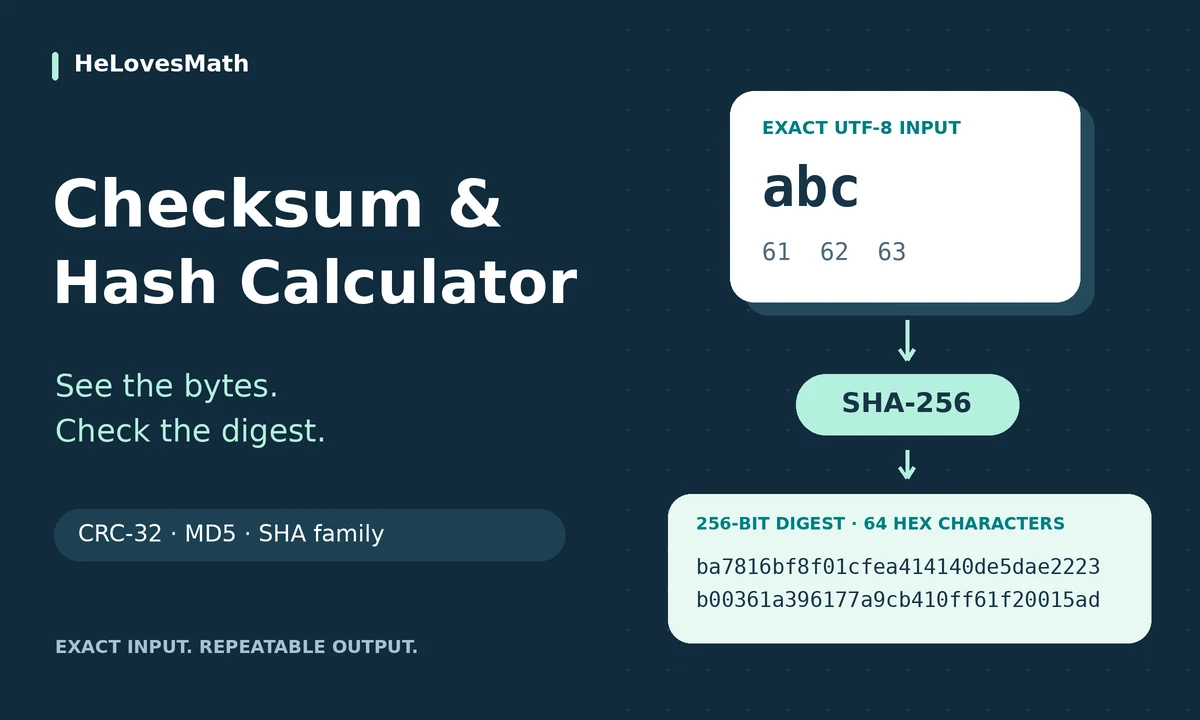
Text is encoded as UTF-8 without trimming, Unicode normalization or an added newline. The visible character é normally uses two UTF-8 bytes (hex c3 a9), while abc uses three (61 62 63). Visually identical text can have different Unicode sequences and different hashes. A text area also normalizes line endings to LF; use File Hash when the exact bytes of a saved file, including CRLF line endings or a byte-order mark, matter.
File Hash reads the file contents, not its name or modification date. Renaming a file does not change its digest if the bytes are unchanged. A word-processing document containing “abc” is not the same three-byte input as a plain text file containing exactly abc. This tool reads a file into memory and limits files to 128 MiB (134,217,728 bytes); use a trusted local streaming utility for larger files.
A hexadecimal digit holds four bits. Explore that relationship with our numeral systems converter, and distinguish bits, bytes and file-size units with the data storage converter.
Hash and checksum formulas, with the missing details
Write a digest as h = H(m): m is the input byte sequence, H is the chosen algorithm and h is its output. For a fixed-length digest, input size does not determine output size.
Hexadecimal digits = digest bits ÷ 4. Thus SHA-256 uses 256 ÷ 4 = 64 hex digits, or 256 ÷ 8 = 32 bytes. The number of digits does not reveal the file size. Many different algorithms can produce the same output length.
Start A = 1 and B = 0. For each input byte x, update A = (A + x) mod 65,521, then B = (B + A) mod 65,521. The final unsigned value is B × 65,536 + A, written as eight hex digits. The worked example below shows every step.
CRC arithmetic treats bits as polynomial coefficients over GF(2), using XOR in place of ordinary addition and subtraction. A polynomial-division remainder underlies the result, with initialization and finalization set by the chosen variant. The CRC here is CRC-32/ISO-HDLC, also used by gzip: reflected polynomial 0xedb88320, initial register 0xffffffff and final XOR 0xffffffff. A generic “CRC32” label is insufficient when comparing with a different CRC variant. FNV-1a starts at 0x811c9dc5; for each byte, XOR it into the state and multiply by 0x01000193 modulo 232. FNV-1 differs in operation order and can give a different result.
HMAC(K,m) = H((K′ XOR opad) || H((K′ XOR ipad) || m))
The symbol || means byte concatenation. K′ is the key adjusted to the hash block size: hash an overlong key, then zero-pad as needed. The inner pad repeats byte 0x36; the outer pad repeats 0x5c. This is a nested construction, not simply “hash the key followed by the message.”

Hash vs Checksum
The words “hash” and “checksum” are sometimes used loosely, but they do not always mean the same thing. A checksum is usually a compact value used to detect accidental changes in data. A hash can also detect changes, but a cryptographic hash is designed for stronger security properties. In everyday file verification, both terms may appear together because users want a fingerprint of data to check whether it has changed.
A checksum such as CRC32 is fast and useful for detecting transmission errors, storage errors, and accidental corruption. It is not suitable for preventing malicious tampering because an attacker may be able to intentionally modify data while arranging the same checksum. A cryptographic hash such as SHA-256 is designed to make that kind of manipulation far more difficult.
For software downloads, backups, package verification, and security-sensitive workflows, SHA-256 or SHA-512 is usually a better choice than MD5, CRC32, or Adler-32. MD5 and SHA-1 are still useful in legacy systems and educational comparisons, but they should not be chosen for new security-sensitive integrity systems.
Supported Algorithms
This tool supports a practical mix of algorithms so users can compare common digest formats. SHA-256 is a strong default for general file integrity. SHA-512 produces a longer digest and is often used in higher-strength contexts. SHA-384 is part of the SHA-2 family and produces a 384-bit digest. SHA-1 is included for legacy comparison, but it is not recommended for modern collision-resistant security. MD5 is included because many older systems still display MD5 checksums, but it is also not suitable for modern security-critical validation.
| Algorithm | Typical Hex Length | Common Use | Security Note |
|---|---|---|---|
| SHA-256 | 64 | File verification, package integrity, modern digest checks | Strong general-purpose choice |
| SHA-512 | 128 | High-strength digest and modern security systems | Strong, longer output |
| SHA-384 | 96 | Security protocols and SHA-2 family use | Strong, truncated SHA-512 family variant |
| SHA-1 | 40 | Legacy systems and old repositories | Not recommended for modern collision resistance |
| MD5 | 32 | Legacy checks, old file fingerprints | Broken for collision-resistant security |
| CRC32 | 8 | Accidental error detection | Not cryptographic |
| Adler-32 | 8 | Fast checksum in compression-related contexts | Not cryptographic |
| FNV-1a | 8 | Fast non-cryptographic hashing | Not for secure verification |
File Integrity Verification
File integrity verification is one of the most common reasons to use a checksum or hash calculator. Suppose a website publishes a downloadable file and lists a SHA-256 value beside it. After downloading the file, you calculate the SHA-256 digest locally. If the calculated digest matches the published digest exactly, the downloaded file is very likely the intended file, provided the reference digest and its source are trustworthy. If the value is different, you should not assume the file is safe or complete.
Hash verification can detect accidental corruption from interrupted downloads, storage errors, copy errors, and transmission problems. It can also detect many unauthorized changes, especially when the reference hash comes from a trusted source. However, a hash shown on the same compromised page as a malicious download may not protect you. The reference digest must be trusted for the verification to mean anything.
For practical use, choose SHA-256 when the source provides it. If only MD5 is available, it can still detect accidental download corruption, but it should not be treated as strong protection against deliberate tampering. For important software, prefer official sources, signed releases, package managers, digital signatures, and secure channels.

HMAC explained: authentication with a shared key
HMAC means hash-based message authentication code. A sender and verifier who share a secret key can calculate a tag over the same exact message bytes. A valid tag provides evidence of integrity and authenticity under the key when the algorithm, key handling and verification protocol are sound. It does not encrypt the message and does not offer public-key signature attribution: every holder of the shared key can create tags.
This page accepts literal UTF-8 sample keys, not decoded hexadecimal or Base64 keys. Typing 4a656665 uses eight ASCII bytes; it does not decode to the four bytes spelling Jefe. The message may be empty, but the interface requires a nonempty sample key. Spaces in a key are meaningful and are retained.
API and webhook systems also define the exact request bytes to sign, header formats and often timestamps or nonce checks to prevent replay. This calculator cannot validate that protocol. Do not paste production secrets here. Use a maintained cryptographic library, secure key storage and its constant-time verification function in a real application. The Compare Hashes tab is a learning tool, not a production authentication verifier.
Eight worked checksum and hash examples
1. Uppercase H changes the input, not just the display
Enter Hello, with no newline, and choose SHA-256. Five UTF-8 bytes produce:
185f8db32271fe25f561a6fc938b2e264306ec304eda518007d1764826381969Now enter hello:
2cf24dba5fb0a30e26e83b2ac5b9e29e1b161e5c1fa7425e73043362938b9824Both outputs have 64 hex digits. Changing Output Case only changes a–f to A–F; it does not change the digest bytes.
2. Verify a three-byte example file
A plain UTF-8 text file containing exactly abc, without a newline or byte-order mark, contains hex bytes 61 62 63. Its SHA-256 is:
ba7816bf8f01cfea414140de5dae2223b00361a396177a9cb410ff61f20015adSelect that file and choose SHA-256, then compare the complete result with a trusted reference. A file containing abc followed by LF has four bytes and instead gives:
edeaaff3f1774ad2888673770c6d64097e391bc362d7d6fb34982ddf0efd18cbA match establishes matching digest values. It cannot independently prove that a publisher or file is trustworthy.
3. Compare formatting without changing a digest
For the public test input 123456789, CRC-32/ISO-HDLC is cbf43926. Comparing CB F4 39 26 with cbf43926 should report a match after whitespace and case normalization. Comparing it with cbf43927 should report a mismatch. Non-hex text such as zzzzzzzz must be rejected, even if pasted into both boxes.
4. Reproduce an HMAC test vector
Use the literal sample key Jefe and message what do ya want for nothing?, without quotation marks or an added newline. HMAC-SHA-256 gives:
5bdcc146bf60754e6a042426089575c75a003f089d2739839dec58b964ec3843This is RFC 4231 test case 2: the key has 4 bytes and the message has 28 bytes. The short published key is a test fixture, not a recommended production secret.
5. Work through Adler-32 by hand
For abc, the byte values are 97, 98 and 99. Begin with A = 1, B = 0. After a: A = 98, B = 98. After b: A = 196, B = 294. After c: A = 295, B = 589. These small sums do not wrap modulo 65,521. The result is 589 × 65,536 + 295 = 38,600,999, hexadecimal 024d0127.
6. Empty input is not an error
A zero-byte message has a defined digest. Its MD5 is:
d41d8cd98f00b204e9800998ecf8427eIts SHA-256 is:
e3b0c44298fc1c149afbf4c8996fb92427ae41e4649b934ca495991b7852b855CRC-32 of empty input is 00000000; Adler-32 is 00000001. Leading zeroes belong to the fixed-width display and must not be dropped.
7. Count bytes rather than visible characters
The single character é uses two UTF-8 bytes, while 🙂 uses four. The combined text é🙂 therefore hashes six bytes. A SHA-256 result is still 32 bytes, shown as 64 hexadecimal digits, regardless of that input length.
8. Check an MD5 implementation against a known value
The legacy MD5 digest of the three bytes abc is:
900150983cd24fb0d6963f7d28e17f72This RFC 1321 test vector checks the implementation. Passing it does not make MD5 collision-resistant; use a modern approved hash where adversarial collision resistance is required.
Practice: check your understanding
Try these ten questions before opening the explained answers.
1. A SHA-384 digest contains how many bytes and hex digits?
384 ÷ 8 = 48 bytes; 384 ÷ 4 = 96 hex digits.
2. You hash the text abc and a file containing abc plus a newline. Should the hashes match?
No. The inputs contain different bytes. The text is three bytes; the LF-terminated file is four bytes. Use the exact same bytes and algorithm.
3. What does one byte look like in hexadecimal?
One byte is eight bits, so it takes two hex digits. For example, 97 decimal = 0x61 = binary 01100001.
4. What is Adler-32 for the one-byte input A (decimal 65)?
A = 1 + 65 = 66; B = 0 + 66 = 66. The unsigned value is 66 × 65,536 + 66 = 4,325,442, displayed as 00420042.
5. Does a 128-digit hexadecimal output prove the algorithm was SHA-512?
No. That length represents 512 bits, but the algorithm cannot be identified from output length alone. Compare the specified algorithm and complete digest.
6. A website changes both a download and the hash beside it. Does your matching hash prove the download is authentic?
No. An attacker who controls both can replace both. Obtain a trustworthy reference or verify a trusted digital signature/package signature.
7. Does changing cbf43926 to CBF43926 change its bytes?
No. Hexadecimal letter case is a display choice. Both represent the same four-byte value.
8. Is typing the sample HMAC key 4a656665 equivalent to typing Jefe here?
No. This interface reads literal UTF-8 text. The first is eight ASCII bytes; Jefe is four bytes. It does not decode a hex key.
9. Can two different messages share a 32-bit checksum?
Yes. There are only 2^32 possible values but many more possible messages. A collision is unavoidable in principle; a checksum is not a unique identity.
10. You renamed a file without editing any bytes. Should its SHA-256 change?
No. File Hash processes the content bytes, not the filename. Editing an embedded filename inside an archive would change the archive bytes, which is a different operation.
Best Practices for Hash and Checksum Use
Use SHA-256 as the default when you need a modern file integrity hash. Use SHA-512 when a system specifically asks for it or when longer digest output is preferred. Avoid MD5 and SHA-1 for new security-sensitive systems because known collision attacks make them unsuitable for strong authenticity guarantees. CRC32 and Adler-32 should be treated as quick error-detection tools, not security tools.
Do not confuse hashing with encryption. Encryption is reversible with a key. Cryptographic hashing is designed to be one-way. If someone says they will “decrypt a hash,” that is usually incorrect language. A password hash can sometimes be guessed through brute force or dictionary attacks, but it is not decrypted in the normal encryption sense.
For password storage, do not use plain SHA-256, SHA-512, or MD5. Passwords should be stored with purpose-built password-hashing schemes with salts and configurable cost, such as Argon2id or scrypt. Bcrypt and PBKDF2 also use configurable work factors, but are not all memory-hard. Follow your platform’s current security guidance. This calculator is for general hashing and learning, not password-storage implementation.
For file verification, copy the reference hash from an official, trusted source. Check every character. Do not rely only on file name, file size, or download appearance. If a file is important, combine hash verification with digital signatures or package-manager verification.
Checksum & Hash Calculator FAQs
What does a checksum and hash calculator do?
It converts text or file data into a digest or checksum such as SHA-256, SHA-512, MD5, CRC32, Adler-32, or HMAC-SHA output.
Is a hash the same as encryption?
No. Encryption is reversible with the correct key. Cryptographic hashing is designed to be one-way and is mainly used for fingerprints, verification, and integrity checks.
Which hash should I use for file verification?
SHA-256 is a strong default for modern file integrity verification. Use the algorithm provided by the official file source when comparing downloads.
Is MD5 safe?
MD5 is not safe for modern collision-resistant security. It may still detect accidental corruption in legacy contexts, but SHA-256 is preferred for new verification workflows.
Does this tool upload my file?
The calculator’s file-hashing code reads the selected file locally and does not upload it. That is not a privacy assurance for the surrounding website, ads, extensions or browser. Use public test files here and trusted local software for private material. Large files can exceed browser memory.
What is HMAC?
HMAC is a keyed hash-based message authentication code. A shared key and exact message bytes produce a tag for authentication and integrity; it is not encryption or a public-key digital signature.
Can two files have the same hash?
In theory, yes. That is called a collision. Strong cryptographic hashes are designed to make practical collision finding extremely difficult.
Important Note
This Checksum & Hash Calculator is for education, file integrity checks, development, and general verification workflows. It is not a substitute for professional security review, digital-signature validation, secure password storage, malware scanning, cryptographic architecture, or official compliance procedures.
Sources & References
Algorithm definitions, implementation checks and security context. The original teaching examples and calculations above can be reproduced with the tool.
- NIST FIPS 180-4: Secure Hash Standard
- NIST policy on hash functions and SHA-1 transition
- RFC 1321: MD5 algorithm and test vectors
- RFC 6151: updated MD5 security considerations
- RFC 1950: Adler-32 specification
- RFC 1952: gzip CRC-32 algorithm
- RFC 2104: HMAC construction
- RFC 4231: HMAC-SHA-2 test vectors
- MDN: UTF-8 TextEncoder
- MDN: Web Crypto digest and whole-input memory requirement