
Convert Storage Units and Plan Capacity
Convert between bits, bytes, kilobytes, megabytes, gigabytes, terabytes, petabytes, decimal storage units, binary storage units such as KiB, MiB, GiB, TiB, sector sizes, storage planning, usable RAID capacity, file-count estimates, copy time, batch values, and OS display differences.
Use the tools below, then explore unit definitions, worked examples, practice answers, and sources.
Storage and time displays use exact unit definitions with approximately 15 significant digits of calculator precision. Whole-file counts use exact arithmetic on the entered decimal values. Tiny or very large results use scientific notation. Planning assumes equal-size participating drives, no hot spares, and user-supplied allowances; RAID is not a backup.
1. Storage Conversion
Usable Storage Planner
Enter the capacity of each equal-size participating drive. Do not include hot spares in the drive count.
File Count and Copy Time
File count uses the planner’s logical usable capacity. Copy time uses the top Storage Value amount, with the rate multiplied by Copy Efficiency.
Batch Converter
Units are case-sensitive: use MB for megabytes, Mb or Mbit for megabits, and MiB for mebibytes. Ambiguous lowercase units such as mb are rejected.
Examples: 500 GB, 1 TB, 931 GiB, 1024 MiB, 8 Gbit.
2. Converted Result
Equivalent decimal and binary storage values will appear after conversion.
Storage Visual Summary
3. Conversion Tables
All Storage Unit Conversions
| Unit | Converted Value | Factor Used | Best Use |
|---|
Usable Storage, Files, and Copy Time
| Metric | Result | Formula / Meaning |
|---|
Batch Conversion Output
| Input | Bytes | GB | GiB | TB / TiB |
|---|
Data Storage Conversion: Learn the Units Before You Plan the Space
A data storage converter answers a precise question: how many bytes does a stated quantity represent? A storage planner answers a different, assumption-dependent question: how much data might fit after redundancy, reserves, overhead, and compression? Use the conversion first, then apply the planning assumptions.
By the end of this lesson, you should be able to convert GB to GiB, distinguish Mbit/s from MB/s, explain a drive's displayed capacity, and estimate usable storage, file counts, and copy time without mixing units.
Bits, bytes, decimal prefixes, and binary prefixes
A bit represents a binary value, 0 or 1. In this converter, one byte is eight bits. Uppercase B means byte; lowercase b or the word bit means bit. Thus MB and Mbit are different units.
Decimal prefixes use powers of ten; binary prefixes use powers of two. The correct SI symbol for kilo is lowercase k, so a decimal kilobyte is kB. This tool's menus use the common KB alias for 1,000 bytes. Choose KiB when you mean 1,024 bytes.
| Decimal unit | Bytes | Binary unit | Bytes |
|---|---|---|---|
| kB (KB in this tool) | 103 = 1,000 | KiB | 210 = 1,024 |
| MB | 106 = 1,000,000 | MiB | 220 = 1,048,576 |
| GB | 109 = 1,000,000,000 | GiB | 230 = 1,073,741,824 |
| TB | 1012 = 1,000,000,000,000 | TiB | 240 = 1,099,511,627,776 |

For a refresher on the repeated multiplication behind these definitions, study exponents and their rules. The binary calculator explores base-two number representation; changing a number's base is a separate operation from changing its storage unit.
The reliable conversion method: go through bytes
- Write the exact byte factor for the starting unit.
- Multiply the starting value by that factor.
- Divide the byte count by the target unit's byte factor.
- Round the final display, keeping extra digits in intermediate calculations.
A useful check is direction: a GiB is larger than a GB, so the same byte count has a smaller numerical value in GiB. For example, 1 GiB is exactly 1.073741824 GB. Neither unit is inherently more accurate; clear definitions and appropriate rounding determine accuracy.
What the storage planner assumes
Let N be the number of participating drives and D the capacity of each equal-sized drive. The following simplified capacities are before reserves and filesystem overhead. Hot spares are excluded from N.
| Layout | Capacity model | Important condition |
|---|---|---|
| No RAID / combined pool | N × D | Combined capacity alone promises no redundancy |
| RAID 0 | N × D | At least 2 drives; no drive-failure protection |
| RAID 1 | D | At least 2 drives; all participating drives mirror the same data |
| RAID 5 | (N − 1) × D | At least 3 drives; one drive-equivalent of distributed parity |
| RAID 6 | (N − 2) × D | At least 4 drives; two drive-equivalents of distributed parity |
| RAID 10 | (N / 2) × D | At least 4 drives and an even count for mirrored pairs |
These are capacity models, not a guarantee that a particular controller supports a configuration. Mixed-size conventional RAID groups may be limited by the smallest member; hybrid layouts can behave differently. RAID 5 parity is distributed across the drives, rather than stored on one permanently dedicated parity drive.
RAID is not a backup. Redundancy can help with specified drive failures, but it does not by itself restore an accidentally deleted file or provide an independent copy after damage to the whole system.
In this planner, reserve and filesystem overhead are applied as separate successive percentage reductions. If r and f are their percentages, and c is the percentage of original data size remaining after compression:
Filesystem overhead is applied to the capacity left after the reserve in this model. Two percentages should not simply be added unless both are explicitly defined against the same starting amount. Use the percentage calculator to check each step. The defaults are illustrative assumptions, not universal filesystem measurements or recommended reserve levels.
Logical capacity means the amount of original, uncompressed file data that could fit under the stated compression assumption. A stored-after-compression value of 60% means 40% smaller files; it does not mean a 60% reduction. Already-compressed data, such as JPEG images, may gain little from another compression pass. Test representative files before relying on a saving.
File counts and copy time
The floor brackets mean round down to a whole number of files. If the file size is only an average, the result remains an estimate. Allocation units, metadata, and variation in file sizes can change the actual count.
Copy efficiency e is the fraction of the entered speed assumed to carry the data. An 80% setting multiplies the speed by 0.80; it does not multiply the time by 0.80. If the rate is already a measured sustained file-copy speed, use 100% to avoid discounting the same slowdown twice.
Tool detail: file count uses the planner's logical usable capacity. Copy time uses the Storage Value and Input Unit at the top of the converter. Enter the actual data amount being copied there. Storage compression does not automatically imply that the same compressed amount travels over the connection.
Six Worked Examples
Example 1: Convert 500 GB to GiB
Question: How many gibibytes are represented by exactly 500 GB?
- Convert to bytes: 500 × 1,000,000,000 = 500,000,000,000 B.
- Divide by the bytes in one GiB: 500,000,000,000 ÷ 1,073,741,824 = 465.6612873077392578125 GiB.
- Round to two decimal places: 465.66 GiB.
Check: the numerical value fell because GiB is the larger unit. Keep the unrounded result if you will convert back. Entering a rounded 465.66 GiB will not recover exactly 500 GB.
Example 2: Convert a bit rate and estimate transfer time
Question: A 5 GB file is transferred over a nominal 200 Mbit/s connection at 80% efficiency. What time does the model predict?
- Convert bits to bytes: 200 Mbit/s ÷ 8 = 25 MB/s before the efficiency adjustment.
- Effective speed: 25 × 0.80 = 20 MB/s, or 160 Mbit/s.
- Convert the file: 5 GB = 5,000 MB.
- Time: 5,000 ÷ 20 = 250 seconds = 4 minutes 10 seconds.
Check: 200 Mbit/s is not 200 MB/s. The latter is eight times the byte rate. This time is exact for the assumed constant effective rate, but real transfer time can change with connection quality, disk speed, small-file handling, and background work.
Example 3: Explain a 1 TB drive's binary display
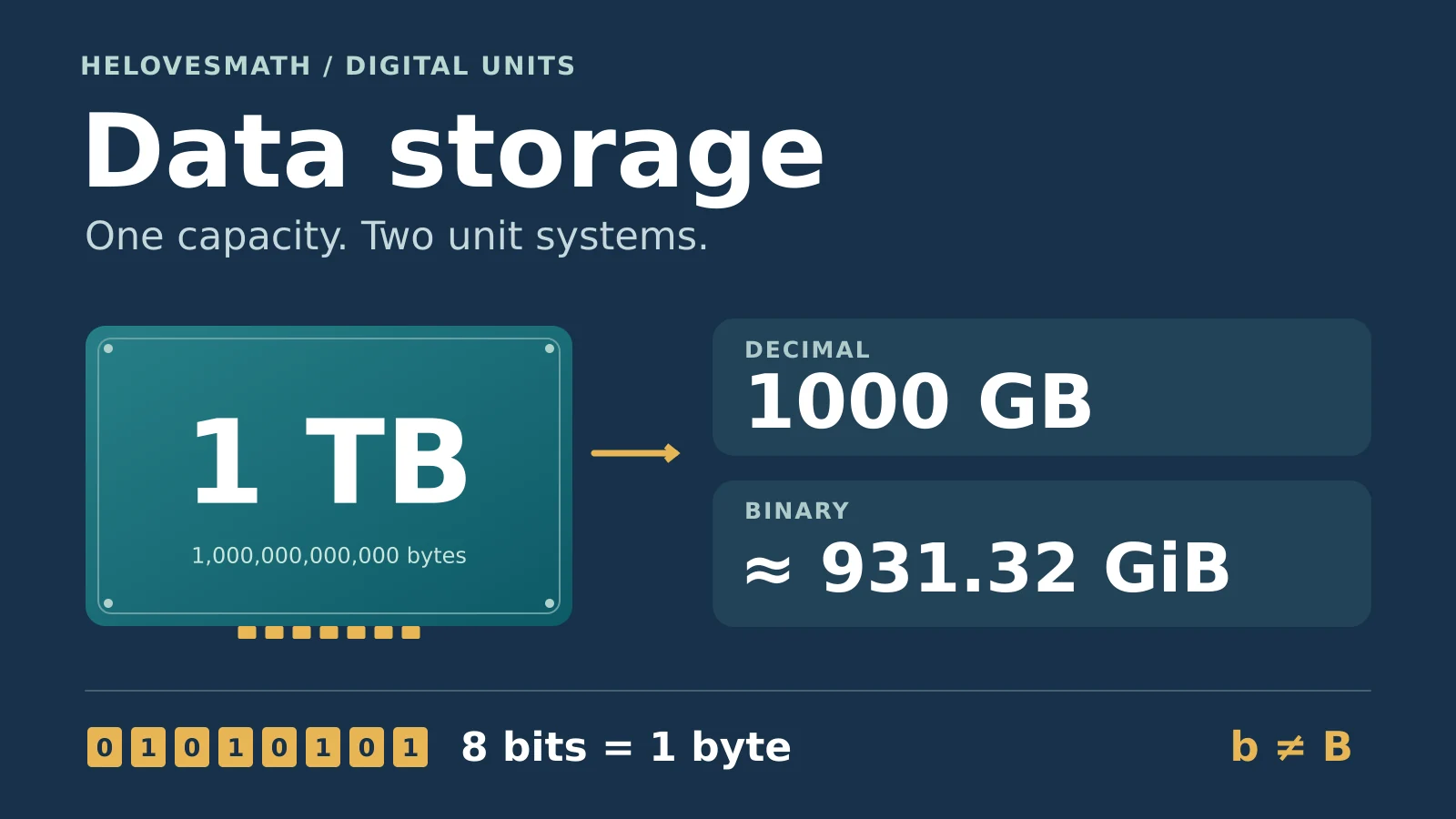
Question: Why might a drive labeled 1 TB correspond to about 931.32 GiB?
- The stated decimal capacity is 1,000,000,000,000 bytes.
- Divide by 230: 931.322574615478515625 GiB, or approximately 931.32 GiB.
- Alternatively, divide by 240: approximately 0.909495 TiB.
The byte count has not changed. This is like expressing the same distance in a larger unit. A drive's available free space is another quantity: formatting, partitions, the operating system, and existing files can reduce it further. Operating systems and apps do not all use the same display convention, and some binary-based displays still label their figures “GB.”
If comparing the numerical displays specifically at the GB/GiB scale, 1,000 GB becomes about 931.322575 GiB. The displayed number is about 6.8677% lower, calculated as 100 × (1 − 109/230). This is not a percentage of bytes lost. Do not subtract 931 from the “1” on a TB label; those numerical values use different scales.
Example 4: Four 4 TB drives in RAID 5
Question: Estimate physical usable capacity with four equal 4 TB drives, RAID 5, a 10% reserve, and 3% filesystem overhead. Assume no hot spare and no compression.
- Gross capacity: 4 × 4 TB = 16 TB.
- RAID 5 capacity before other reductions: (4 − 1) × 4 TB = 12 TB.
- After the reserve: 12 × 0.90 = 10.8 TB.
- After overhead on that remainder: 10.8 × 0.97 = 10.476 TB, approximately 9.527866 TiB.
Why not subtract 13%? The two successive factors give 0.90 × 0.97 = 0.873, so the combined reduction is 12.7%. Subtracting 13% from 12 TB would give 10.44 TB and would represent a different assumption about the percentages. The 10.476 TB answer is exact arithmetic for this model, not a promise about a real formatted array.

Example 5: Interpret “stored after compression” correctly
Question: A pool has 1.2 TB of physical usable space after other allowances. If files occupy 60% of their original size after compression, how much original data could fit?
- Write the stored fraction as 0.60.
- Divide physical usable space by that fraction: 1.2 ÷ 0.60 = 2 TB of logical data.
- Check in the other direction: 2 TB × 0.60 = 1.2 TB stored.
A 60% stored fraction is a 40% saving and a capacity multiplier of 1 ÷ 0.60 ≈ 1.6667. A 50% stored fraction would double logical capacity. A 100% value models no saving. Compression changes the representation of the files; it does not create more physical bytes on the drives.
Example 6: Estimate file counts without mixing MB and MiB
Question: An already-adjusted logical allowance is 100 GB. How many whole files fit if each file is exactly 5 MiB?
- Allowance: 100 × 109 = 100,000,000,000 bytes.
- File size: 5 × 220 = 5,242,880 bytes.
- Divide: 100,000,000,000 ÷ 5,242,880 = 19,073.486328125.
- Round down: 19,073 whole files in this size-only model.
The remainder is 2,549,760 bytes, insufficient for one more 5 MiB file. If each file were 5 MB instead, the model would give 20,000 files. If 5 MiB is merely an average, report “about 19,073 files” and allow for changes in the file mix and disk allocation.
Practice Questions with Explained Answers
Try each question before opening its answer. Use decimal GB, TB, MB, and Mbit/s unless a binary prefix is explicitly shown. Treat any reserve, overhead, compression, and efficiency figures as assumptions for that question.
1. Bytes, bits, and two kinds of kilobyte
Express 4,096 bytes in bits, KiB, and decimal kB.
Show answer and explanation
32,768 bits; 4 KiB; 4.096 kB. Multiply bytes by 8 for bits. Divide by 1,024 for KiB and by 1,000 for kB. The converter labels the last unit KB.
2. Reverse the GB/GiB conversion
Convert exactly 2 GiB into bytes and decimal GB.
Show answer and explanation
2,147,483,648 bytes = 2.147483648 GB. First multiply 2 by 1,073,741,824. Then divide by 1,000,000,000. The numerical value grows when changing from the larger GiB unit to GB.
3. A phone's stated capacity
Convert a nominal 256 GB capacity to GiB, rounding to two decimal places. Does the result tell you the phone's free space?
Show answer and explanation
238.42 GiB; no. The calculation is 256,000,000,000 ÷ 1,073,741,824 = 238.4185791015625 GiB. This describes the nominal byte count in another unit. System files, apps, partitions, and personal data affect free space separately, and the phone may itself display decimal units.
4. Copy time with efficiency
Estimate the time to copy 100 GB at an entered rate of 150 MB/s and 85% efficiency.
Show answer and explanation
About 784.31 seconds, or 13 minutes 4.31 seconds. Effective speed is 150 × 0.85 = 127.5 MB/s. The data amount is 100,000 MB, so time is 100,000 ÷ 127.5 ≈ 784.313725 seconds. Do not divide the rate by 8: it is already expressed in bytes per second.
5. RAID and successive percentage reductions
Six equal 2 TB drives form a RAID 5 group with no hot spare. Apply a 10% reserve and then 5% overhead to the remainder. What is the modeled physical usable capacity?
Show answer and explanation
8.55 TB. RAID 5 gives (6 − 1) × 2 = 10 TB before allowances. Then 10 × 0.90 × 0.95 = 8.55 TB. The combined reduction from the RAID capacity is 14.5%, not 15%, because the second percentage is taken from the smaller remainder.
6. Logical data after compression
A pool has 750 GB of physical usable space. At a stored-after-compression value of 60%, how much original data fits? What is the saving percentage?
Show answer and explanation
1,250 GB = 1.25 TB of logical data; a 40% saving. Divide 750 by 0.60. Check: 1,250 × 0.60 = 750 GB stored. The unused fraction of each original file is 1 − 0.60 = 0.40.
7. Whole files and the leftover space
Ignoring further overhead, how many whole 3 MiB files fit in a 10 GiB allowance, and how much space remains?
Show answer and explanation
3,413 files, with 1 MiB remaining. First use 10 GiB = 10,240 MiB. Dividing 10,240 by 3 gives 3,413⅓, so round down. The stored files use 3,413 × 3 = 10,239 MiB, leaving 1 MiB. Rounding up would exceed the allowance.
8. Check the RAID 6 model and its limit
Six equal 2 TB drives are arranged in RAID 6. Before reserves and overhead, what capacity does the model give? Does that replace a separate backup?
Show answer and explanation
8 TB; no. The model allocates two drive-equivalents to parity, leaving (6 − 2) × 2 = 8 TB. RAID 6 is designed to tolerate two member-drive failures, but redundancy alone does not provide an independent historical copy for accidental deletion or loss of the whole system.
How to Use the Converter and Check Your Answer
- For a unit conversion, enter Storage Value and Input Unit. Review the exact byte relationship before comparing decimal and binary displays.
- For a capacity plan, enter equal drive size, count, a valid RAID layout, reserve, overhead, and stored-after-compression percentage. Check each assumption against the actual system.
- For a file estimate, enter a representative file size and its correct MB or MiB unit. The planner uses logical capacity after the compression assumption.
- For copy time, place the amount to copy in the top Storage Value field. Enter the transfer rate with its correct bit or byte unit and a suitable efficiency.
- For several conversions, put one value and unit on each batch line, such as 500 GB or 1024 MiB. Review results before copying, exporting CSV, or printing.
Common mistakes to avoid
- Using 1,024 for every prefix. GB and GiB have different exact definitions. Convert through bytes when switching systems.
- Confusing capacity with free space. A unit change alone consumes no storage; data and system allocations do.
- Confusing a displayed percentage with missing bytes. State which numerical scale is being compared, or compare everything in bytes.
- Applying compression twice. Use original file sizes with logical capacity, or stored file sizes with physical usable capacity, as appropriate. Do not count the same saving twice.
- Treating a sector as an allocation unit. A 512-byte sector and a 4 KiB sector describe fixed byte amounts in the converter. Filesystem allocation can use other block sizes, so a file's content size need not equal its allocated disk space.
- Reporting excessive certainty. More decimal places do not make estimated file size, sustained speed, or filesystem overhead more reliable.
Accuracy boundary: the unit factors are exact. Capacity and time estimates are conditional on the inputs. Real systems can additionally use space for metadata, recovery areas, snapshots, version history, and implementation-specific reserves. Cloud billing definitions and memory labels should also be checked in the provider's documentation. At extremely large magnitudes, this browser calculator's floating-point arithmetic may round individual bytes even when the unit definitions are exact.
Data Storage Converter FAQ
What is a data storage converter?
It expresses the same quantity of digital data in another unit, such as bytes to MB, GB to GiB, or TB to TiB. The byte count is the common reference.
Is a gigabyte the same as a gibibyte?
No. A GB is 1,000,000,000 bytes, while a GiB is 1,073,741,824 bytes. Always keep the unit attached to the number.
Why does a 1 TB drive correspond to about 931 GiB?
Dividing one trillion bytes by 1,073,741,824 gives about 931.32 GiB. The conversion itself does not remove capacity. Actual free space can be lower for separate reasons.
Is one byte always eight bits?
For the modern storage and networking quantities handled here, this converter defines one byte as eight bits. Historical computing terminology can vary, so this is the explicit definition used throughout the lesson.
Should I use decimal or binary units?
Use the definition specified by the device, service, or problem. Decimal units are common for drive labels; binary units are useful when the documented quantity is based on powers of two. Do not assume a particular operating system, memory label, or cloud bill follows one convention without checking.
Should I enter 50 or 0.5 for a 50% compression setting?
Enter 50 in the Stored After Compression % field. That represents a stored fraction of 0.50 and models twice as much original data fitting into the same physical usable space.
Can the planner predict my exact usable RAID capacity?
No. It provides a simplified estimate. Confirm supported layouts, actual drive capacities, filesystem behavior, reserves, and other deductions with the storage system's documentation and measurements.
Why can a real copy take longer than the estimate?
The formula assumes the chosen effective rate stays constant. A real transfer can pause or slow down, and the slowest storage or network component can limit progress. A measured sustained rate from a similar transfer is a stronger input than an interface's maximum advertised rate.
Sources & References
These primary references explain the unit definitions and technical distinctions used in this lesson. The worked examples and practice problems are original calculations based on the explicitly stated assumptions.
- NIST: Prefixes for binary multiples — binary prefix factors, eight bits per byte, and decimal/binary comparisons.
- BIPM: SI prefixes — the international table of decimal prefix symbols and factors.
- IEC: Prefixes for binary multiples — retained for further reading. This page was unavailable during review; the binary definitions used here were independently checked against NIST's reference above.
- NIST: Metric (SI) prefixes — powers of ten and the lowercase k symbol for kilo.
- Apple Support: How storage capacity is measured on Apple devices — differences between stated capacity, display conventions, formatting, and space used by the operating system.
- QNAP: RAID types — conventional RAID capacity formulas, drive-count conditions, parity, and mixed-capacity limitations.
- Dell Support: How to create a RAID with Intel, PERC and LSI controllers — the warning that RAID does not replace backup.
- Microsoft Support: Zip and unzip files — the limited additional compression available for already-compressed JPEG images.