
UNDERSTAND YOUR PAYCHECK
From gross earnings to a clear estimate
Estimate take-home pay using your own tax-rate and deduction assumptions. Keep the calculation visible, compare pay frequencies, and see exactly where the simplified model differs from real payroll.
Calculate Your Paycheck
All starting values are a sample scenario. Enter amounts in one currency. Tax assumptions are custom flat rates, not official tax tables.
What this paycheck calculator estimates
Start with annual salary or an hourly, daily, weekly or monthly amount. The calculator converts it to annual gross pay, divides it by the selected number of paychecks, then subtracts the deductions and flat-rate taxes you enter. It shows the modeled average net paycheck, annual net income and average monthly net income.
The initial 12%, 4% and 7.65% rates are sample assumptions, not a tax recommendation or a current tax table. Every rate applies to the same modeled tax base. Replace the samples with assumptions you understand, and compare the result with an actual pay statement. All money fields use the same currency; this tool does not convert currencies. The illustrations use USD for the sample amounts.
How to calculate a paycheck
- Choose the income unit. Enter yearly salary for Annual, one month's salary for Monthly, or the rate for one hour for Hourly. Changing the unit keeps your amount, so check that it still matches the new unit.
- For hourly pay, separate regular and overtime hours. The overtime field contains additional hours, not total hours. At 25 per hour, 40 regular hours and 5 overtime hours at 1.5× mean 45 hours altogether.
- Choose the payout frequency. This is independent of the income unit. A yearly salary can be paid biweekly or monthly.
- Add the annual bonus once. The estimator spreads it evenly across the year. It cannot predict the particular check on which a bonus will arrive.
- Enter deductions per paycheck. Convert an annual deduction to the selected paycheck unit first. The common pre-tax field reduces the base for all four rates in this simplified model; see the important limitation below.
- Enter your flat-rate assumptions and calculate. Write 12 for 12%, not 0.12. Enter 0 for any unused deduction, bonus or tax field. Use plain decimals without currency signs, commas or scientific notation.
Calculate or press Enter inside an input after editing. A changed input clears the old estimate so it cannot be mistaken for a fresh result. Reset restores the labeled sample scenario.
Gross pay, tax base and net pay
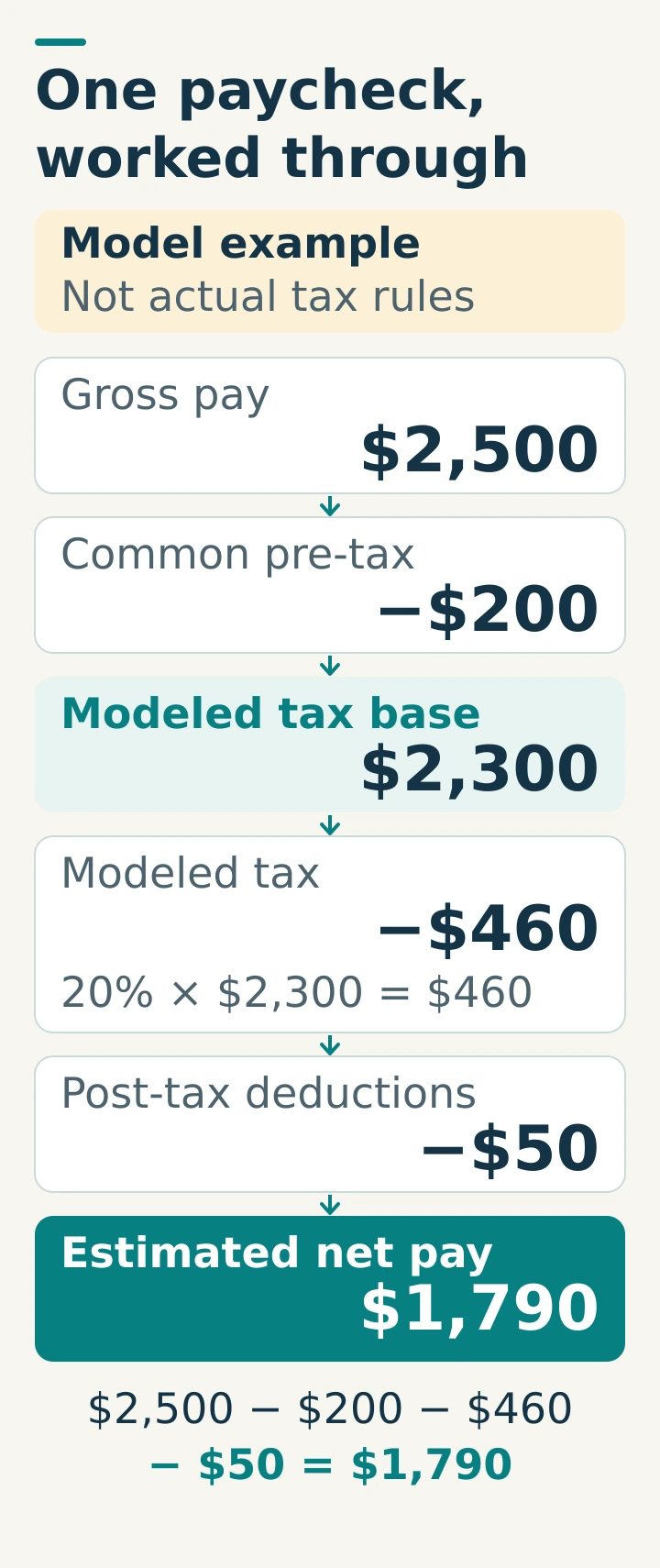
Gross pay is earnings before deductions. The modeled tax base here is gross pay minus the common pre-tax deduction. Net pay is what remains after that deduction, modeled taxes and post-tax deductions. A deduction reduces the paycheck even when it also reduces a tax base.
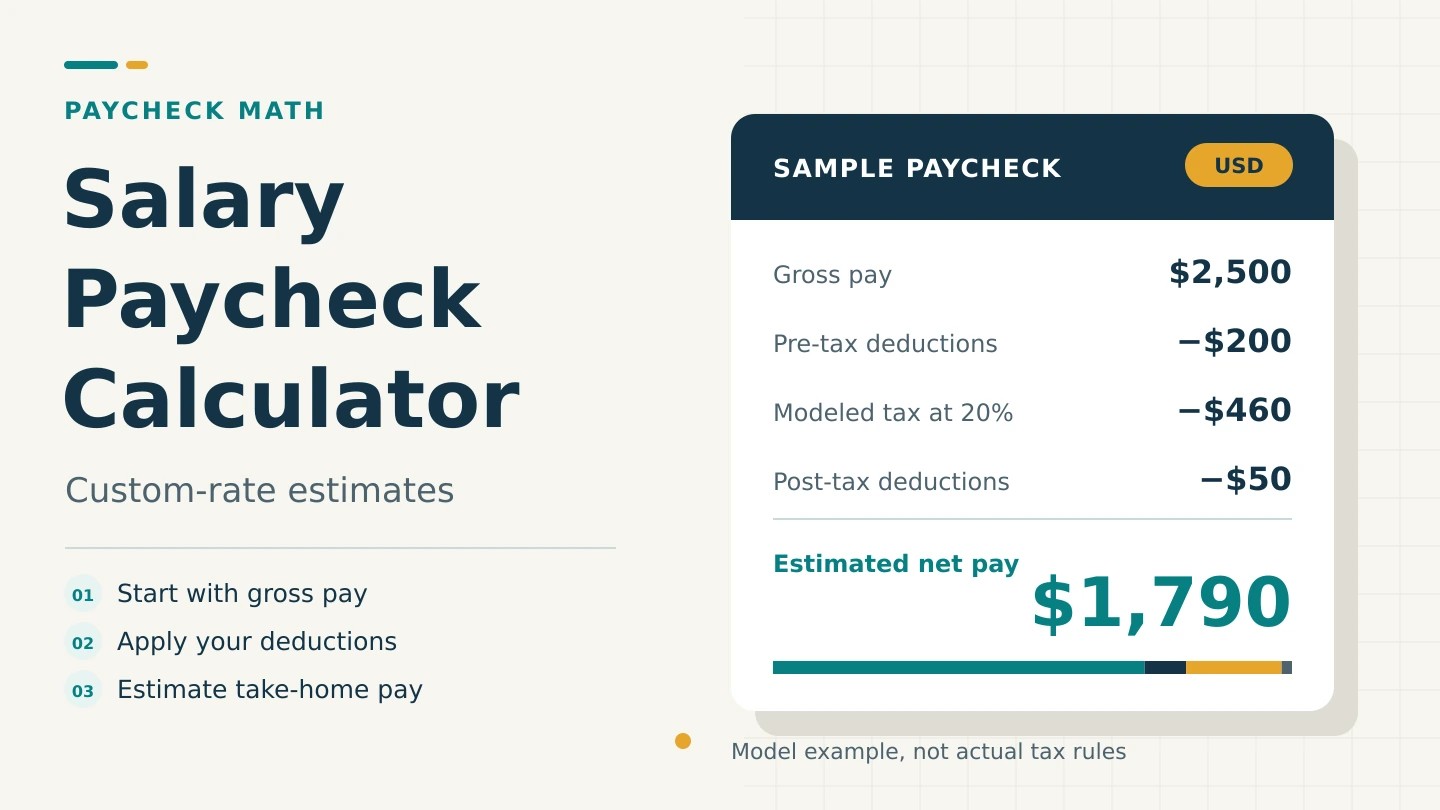
Example: gross pay of 2,500 with a common pre-tax deduction of 200 leaves a base of 2,300. A hypothetical 20% combined rate produces 460 in modeled taxes. Subtracting another 50 after tax leaves 1,790.
Salary and take-home pay formulas
Let A be annual gross income including the bonus, n the selected paycheck count, D the common pre-tax deduction per paycheck, P the post-tax deduction per paycheck, and r the sum of the four entered percentages divided by 100.
Modeled tax base B = G − D
Modeled tax T = B × r
Net per check N = G − D − T − P
Annual net = N × n
Average monthly net = annual net ÷ 12
The calculator rejects a pre-tax deduction greater than gross pay or deductions that would produce negative net pay. It does not silently turn an inconsistent scenario into a zero paycheck.
| Input | Annual gross A |
|---|---|
| Annual salary S | S + annual bonus |
| Monthly salary S | 12 × S + annual bonus |
| Weekly pay S | 52 × S + annual bonus |
| Daily rate S | 260 × S + annual bonus |
| Hourly rate R | 52 × (R × H + R × M × O) + annual bonus |
In the hourly formula, H is regular hours per week, O is overtime hours per week, and M is the overtime multiplier. The 52 paid weeks and 260 paid days are fixed planning assumptions. For a different paid schedule, calculate your expected annual earnings separately and enter them as Annual Salary.
For example, 25 × 30 hours × 48 paid weeks is 36,000. Enter 36,000 as annual salary rather than allowing the hourly mode to assume 52 weeks. Use the scientific calculator to check a custom schedule.
Pre-tax does not mean exempt from every tax
The common pre-tax field is deliberately simple: it reduces the same base for federal/main, state/local, payroll/social and other tax rates. Real payroll often has several different taxable-wage amounts.
For example, under US rules, traditional employee 401(k) elective deferrals generally reduce wages subject to federal income-tax withholding, but those amounts remain included in Social Security and Medicare wages. Treating that deduction as reducing every tax can understate the deductions from a real paycheck. Benefit type, jurisdiction and payroll rules matter.
Do not enter a real deduction in this field unless the shared-base assumption is appropriate for your scenario. If different taxes use different bases, this calculator cannot faithfully model the pay statement. Use your employer's payroll calculation or an appropriate official tool instead.
A post-tax deduction is subtracted after the modeled taxes and does not change the base here. With an otherwise identical scenario, moving a hypothetical 200 deduction from post-tax to common pre-tax at a 20% rate raises modeled net pay by 40, because 200 × 20% = 40. That is a mathematical illustration, not a claim that you may reclassify a deduction.
Biweekly versus semi-monthly pay
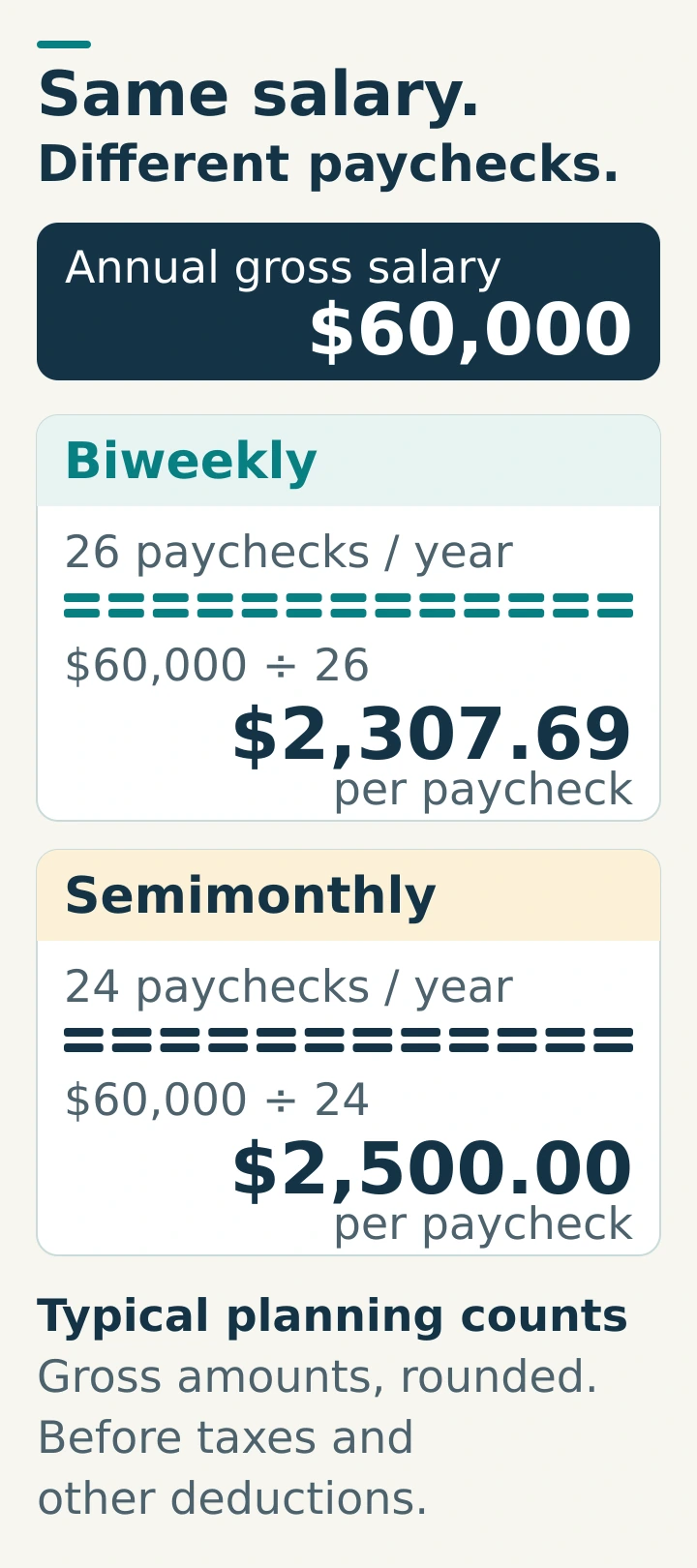
Biweekly means every two weeks; semi-monthly means twice a month. The calculator uses typical planning counts of 26 and 24 respectively. Calendar timing can create 27 biweekly paydays, or 53 weekly paydays, in some years. Employer salary-proration rules then matter, so this tool's fixed count is not an exact payroll calendar.
| Frequency | Model count | Gross per check |
|---|---|---|
| Weekly | 52 | 1,153.85 |
| Biweekly | 26 | 2,307.69 |
| Semi-monthly | 24 | 2,500.00 |
| Monthly | 12 | 5,000.00 |
| Quarterly | 4 | 15,000.00 |
| Annual | 1 | 60,000.00 |
Keeping a deduction at 100 per check while switching from 26 to 24 checks changes the annual deduction from 2,600 to 2,400. If you intend to compare the same annual deduction, divide that annual amount by each schedule's count.
Worked paycheck examples
1. Annual salary with two kinds of deduction
Assume salary 60,000, no bonus, 26 checks, common pre-tax deduction 100, post-tax deduction 50, and sample rates of 12% + 4% + 7.65% + 0% = 23.65%.
- Gross: 60,000 ÷ 26 = 2,307.6923…
- Modeled tax base: 2,307.6923… − 100 = 2,207.6923…
- Modeled tax: 2,207.6923… × 0.2365 = 522.1192…
- Net: 2,307.6923… − 100 − 522.1192… − 50 = 1,635.57, rounded
Annual net from the unrounded model is 42,524.90; average monthly net is 3,543.74. Multiplying the displayed rounded check by 26 gives 42,524.82 instead. The eight-cent difference comes from rounding, not a missing deduction. This estimator keeps internal precision and rounds each displayed output independently; actual payroll may round each line or paycheck differently.
2. Hourly pay with overtime
At 25 per hour, 40 regular hours and 5 additional overtime hours at 1.5×:
Overtime weekly pay = 25 × 1.5 × 5 = 187.50
Weekly gross = 1,187.50
Annual gross = 1,187.50 × 52 = 61,750
If the sample combined rate is 20% with no other deductions, weekly modeled tax is 237.50 and weekly net is 950.00. The overtime multiplier is an assumption you enter. The calculator does not determine overtime eligibility, which hours qualify or the legally required regular rate.
3. Monthly salary plus an annual bonus
A monthly salary of 4,000 and annual bonus of 6,000 give annual gross of 12 × 4,000 + 6,000 = 54,000. With 24 checks, modeled gross is 2,250 per check. This average includes 250 of bonus in every check; an employer paying the bonus separately would produce a different cash-flow pattern.
Accuracy, assumptions and common mistakes
- A tax bracket rate is not an overall tax rate. In a progressive system, different portions of income can be taxed at different rates. Entering a marginal bracket as one flat rate can misstate the result. A withholding estimate and final annual tax liability can also differ.
- There is no automatic country or tax-year selection. No filing status, tax brackets, tax credits, allowances, wage caps, special bonus treatment or benefit-specific exemptions are applied.
- All four percentages share a base. Adding rates is mathematically valid here because they apply to the same modeled amount; that condition may fail for real payroll.
- Input and output units must match. Bonus is annual; deductions are per paycheck. Monetary amounts use one currency throughout, with two-decimal display regardless of that currency's actual conventions.
- Bounds are model safeguards. Rates must total no more than 100%, total weekly hours cannot exceed 168, and the overtime multiplier must be 1 to 5. Annual gross is capped at 1,000,000,000,000 to limit numerical precision loss. These bounds are not statements about employment law.
For a US federal income-tax withholding check, use the official IRS Tax Withholding Estimator linked in Sources & References. It is separate from state, local and other payroll calculations. For an actual payroll discrepancy, compare the gross earnings, each taxable-wage line and each withholding line on the pay statement with your employer or payroll professional.
Turn the result into a cash-flow check
Average monthly net equals annual net divided by 12. A biweekly paycheck multiplied by two describes a two-paycheck month, not the year's monthly average. At net pay of 1,500 across 26 checks, two checks are 3,000, while the annual monthly average is 1,500 × 26 ÷ 12 = 3,250. Use the actual pay dates when matching income to bills.
To compare a proposed percentage raise, first find the new gross salary with the percentage calculator, then revisit the deduction assumptions here. A 5% gross raise does not automatically produce a 5% increase in net pay when deductions or tax treatment change.
Check your paycheck math
Use the simplified model, with all unspecified bonuses, deductions and rates set to zero. These are educational scenarios.
1. What is gross per check for 72,000 paid semi-monthly?
72,000 ÷ 24 = 3,000.
2. Gross 2,500, common pre-tax 200, flat rate 20%, post-tax 50: net?
Base = 2,300; tax = 460; net = 2,500 − 200 − 460 − 50 = 1,790.
3. At 18 per hour for 35 hours over 52 weeks, annual gross?
Weekly gross = 18 × 35 = 630. Annual gross = 630 × 52 = 32,760.
4. At 20 per hour, 40 regular hours and 4 extra hours at 1.5×, weekly gross?
20 × 40 + 20 × 1.5 × 4 = 800 + 120 = 920.
5. What is the average monthly net from 26 checks of 1,500?
Annual net = 39,000. Divide by 12 for 3,250; a two-check month contains 3,000.
6. Can gross 1,000 cover pre-tax 100, 20% modeled tax and post-tax 800?
Base = 900 and tax = 180. Total deductions = 100 + 180 + 800 = 1,080, exceeding gross by 80. The calculator should reject the scenario, not display a plausible zero paycheck.
Salary paycheck calculator FAQs
Does this use official tax rates?
No. It uses the four flat rates you enter, all on one shared base. Sample defaults do not establish anyone's actual tax rate.
Why is my actual paycheck different?
Actual payroll may use different tax bases, progressive withholding tables, year-to-date wage limits, benefit rules, unpaid time, bonus timing or rounding. Check the pay statement's individual lines rather than adjusting one rate until the total happens to match.
Can I use this for 27 biweekly paydays?
The biweekly setting is fixed at 26. Do not treat it as a 27-payday payroll calculation. Confirm how the employer handles the extra pay date and use an appropriate payroll calculation.
What if I work fewer than 52 paid weeks?
Compute the annual earnings using your paid weeks and enter the result as Annual Salary. The hourly, weekly and daily modes use 52 weeks or 260 days.
Does overtime automatically start after 40 hours?
No. You explicitly enter regular and overtime hours. US federal rules generally require at least 1.5 times the regular rate for covered, nonexempt employees after 40 hours in a workweek, but exemptions, other rules and jurisdictions vary. The tool does not decide eligibility or compliance.
Can I use any currency?
The arithmetic is currency-neutral if every amount uses the same currency. No exchange rates or country rules are applied. Results always display two decimals; real currency and payroll rounding may differ.
Why did my result disappear after I edited a field?
The previous number referred to the old inputs. Calculate again, or press Enter in an input, to generate a new estimate.
Sources & References
- Consumer Financial Protection Bureau — How to read a pay stub. Gross, net, deductions and pay-statement definitions.
- Internal Revenue Service — Retirement contributions and income-tax/FICA withholding. Why retirement contributions can affect income-tax and payroll-tax wages differently.
- Internal Revenue Service — Federal income tax rates and brackets. How progressive income-tax brackets work.
- Internal Revenue Service — Tax Withholding Estimator. Official US federal income-tax withholding help, with eligibility and input requirements.
- U.S. Bureau of Labor Statistics — How frequently do private businesses pay workers?. Biweekly and semi-monthly definitions and usual annual counts.
- U.S. Office of Personnel Management — Computing Hourly Rates of Pay Using the 2,087-Hour Divisor. Calendar variation between 26 and 27 biweekly pay dates; the federal hourly divisor is not used by this calculator.
- U.S. Department of Labor — FLSA Overtime Calculator Advisor for Nonexempt Employees. Overtime coverage, the workweek and regular-rate limitations.
Original explanations, examples and illustrations by HeLovesMath. Sources checked October 4, 2026. Educational scenario tool; not tax, legal or payroll advice.